<Article/>
My review on Unified Modeling Language (UML)
use-case-diagram · Dec 11, 2022 · 4
- <use-case-diagram/>
- <personal-review/>
- <uml/>
- <unified-modeling-language/>
- <software-development/>
My review on Unified Modeling Language (UML)
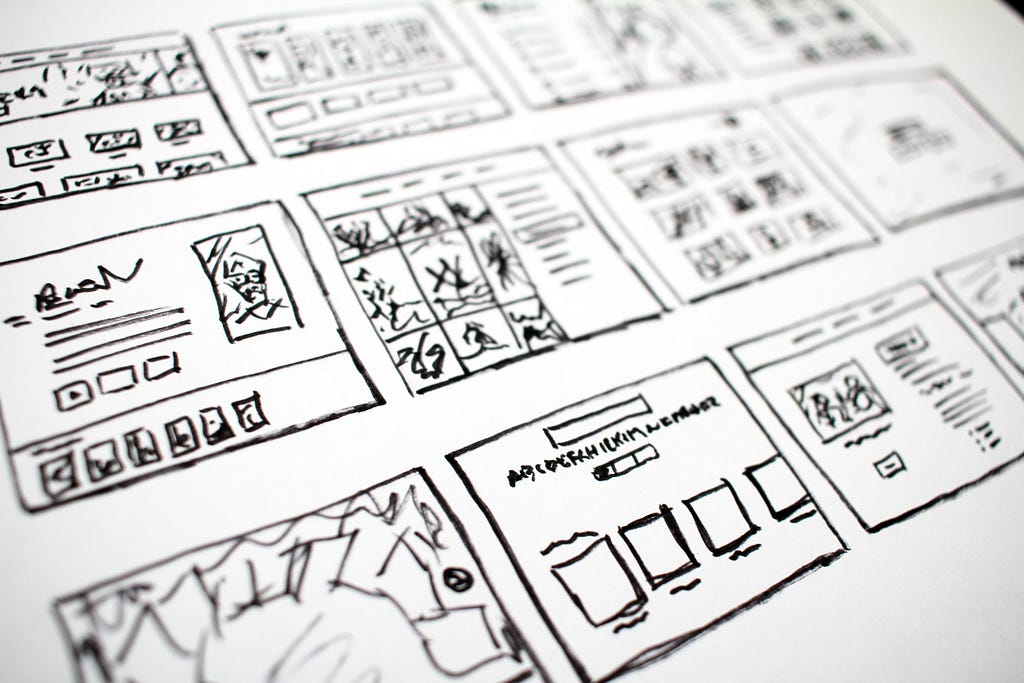
So part of my internship work is a study on Unified modeling language and I must confess, I had never heard of that before. But taking a closer look, I actually found it somewhat interesting and here are some things I found;
Usually, most projects that are worthwhile would require a great deal of planning and without doubt modeling/sketching is a very essential part of all planning process as it gives a more visual representation of what the project looks like.
In software engineering/development, there are usually a lot of stakeholders involved and each of these stakeholders look at unique aspects of the project and from a unique view point/angle. Hence, trying to describe the project to the various stakeholders gives a tower of babel kind of vibes where everyone speaks and understand a different language from each other. Then came UML (Unified Modeling Language) which has become sort of a one language (translation) for all development teams.
So what is UML really? Well, here’s an idea
UML, short for Unified Modeling Language, is a standardised modeling language consisting of an integrated set of diagrams, developed to help system and software developers for specifying, visualising, constructing, and documenting the artifacts of software systems, as well as for business modeling and other non-software systems. — Visual Pradigm
The creation of UML was originally motivated by the desire to standardise the disparate notational systems and approaches to software design — Wikipedia
So basically, UML attempts to provide a representation / translation of the system through its many diagrams to suit the individual unique view point of each stakeholder.
UML having it’s roots in object-oriented programming since it’s inception in the 1990s till date, has gone through many reviews and updates; the most current version being the version 2.5.1 released December 2017.
UML 2.0+ came with major enhancements and features to the already existing modeling diagrams that existed in previous versions.
The many (13) diagrams so far in UML 2.0+ are categorised under Structure and Behaviour diagrams. While the Structure diagrams focus on the static structure of the system and the tiny-bitty parts and how they are related to each other, the Behaviour diagrams focuses on the relationship and dynamic behaviour of the objects in the system over time.
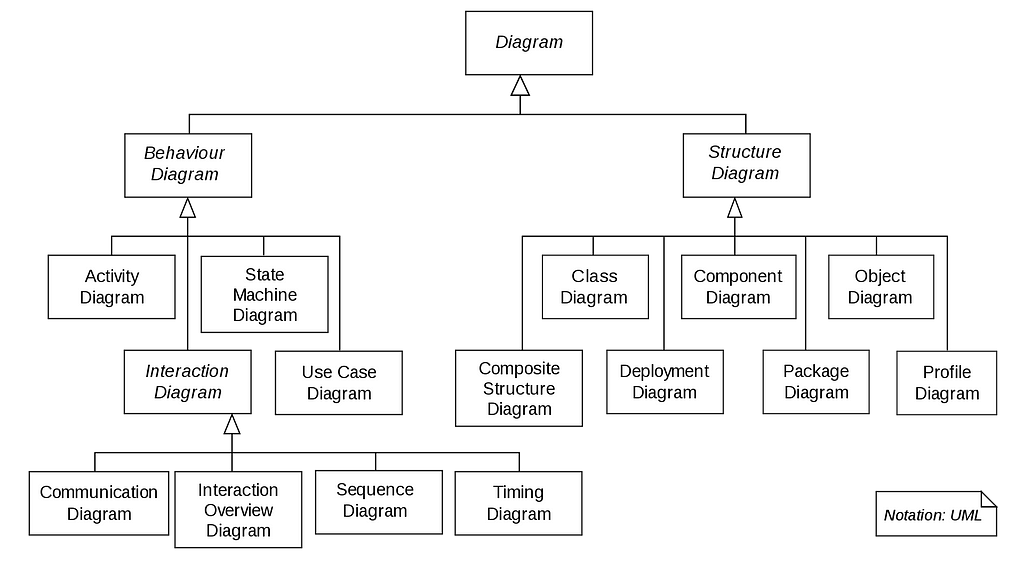
The Interaction diagrams (a subset of the Behaviour diagrams) for example models 4 different forms of interaction between objects in a system.
- Sequence diagram: This shows the order of interactions to accomplish a goal of the system.
- Communication diagram: This came new in 2.0 modifying the already existing collaboration diagram that existed in previous versions. It shows the interactions between objects of the system showing the messages that travel between them.
- Interaction overview diagram: Also introduced with 2.0. It can pictures a control flow-logic with nodes that can contain interaction diagrams of fragments of the system.
- Timing diagram: This was also new in 2.0. It models the time constraint on messages that travel in the course of interaction.
The Class diagrams likewise models the different types of objects in the system and the various relationship that exists between them. These relationships can one of association, inheritance, realisation, dependency, aggregation or composition.
The Use-case diagram also models the system options and functionalities available for users and scenarios. It is usually used in all phases of software development.
These new diagrams are actually based on concepts from the previous versions but modified with new features to increase usability and efficiency.
While in reality, development teams can use just about any form to describe and understand their software, UML is a global language that makes it easier to describe a software in such a way that even a new development team can easily understand the system and continue it’s development and there are various online design and collaboration tools/software that makes it even more easy to come up with the UML diagrams e.g Lucidchart offers a lot of useful templates and tools on its paid tiers, with limits on drawing tools on its free tier. There’s also Draw.io which is quite beginner friendly and offers a lot of free tools.
Here’s a list of other UML softwares/tools you can try out.
Thank you for reading, I would love to hear your thoughts on this in the comments.
Sources:
1. What is Unified Modeling Language (UML)?